The domain support-update[.]online is part of an advanced malware campaign that tricks users into executing malicious commands by impersonating Windows Defender.
An Evolutionary Leap: From Cloudflare to Windows Defender
This type of attack has evolved rapidly:
- Phase one: Fake Cloudflare CAPTCHA pages.
- Current phase: Simulation of Windows Defender and system security alerts.
The shift is key: Windows inspires much more trust than a generic webpage, drastically increasing the attack's success rate.
How the Deception Works
The screenshots clearly show the pattern:
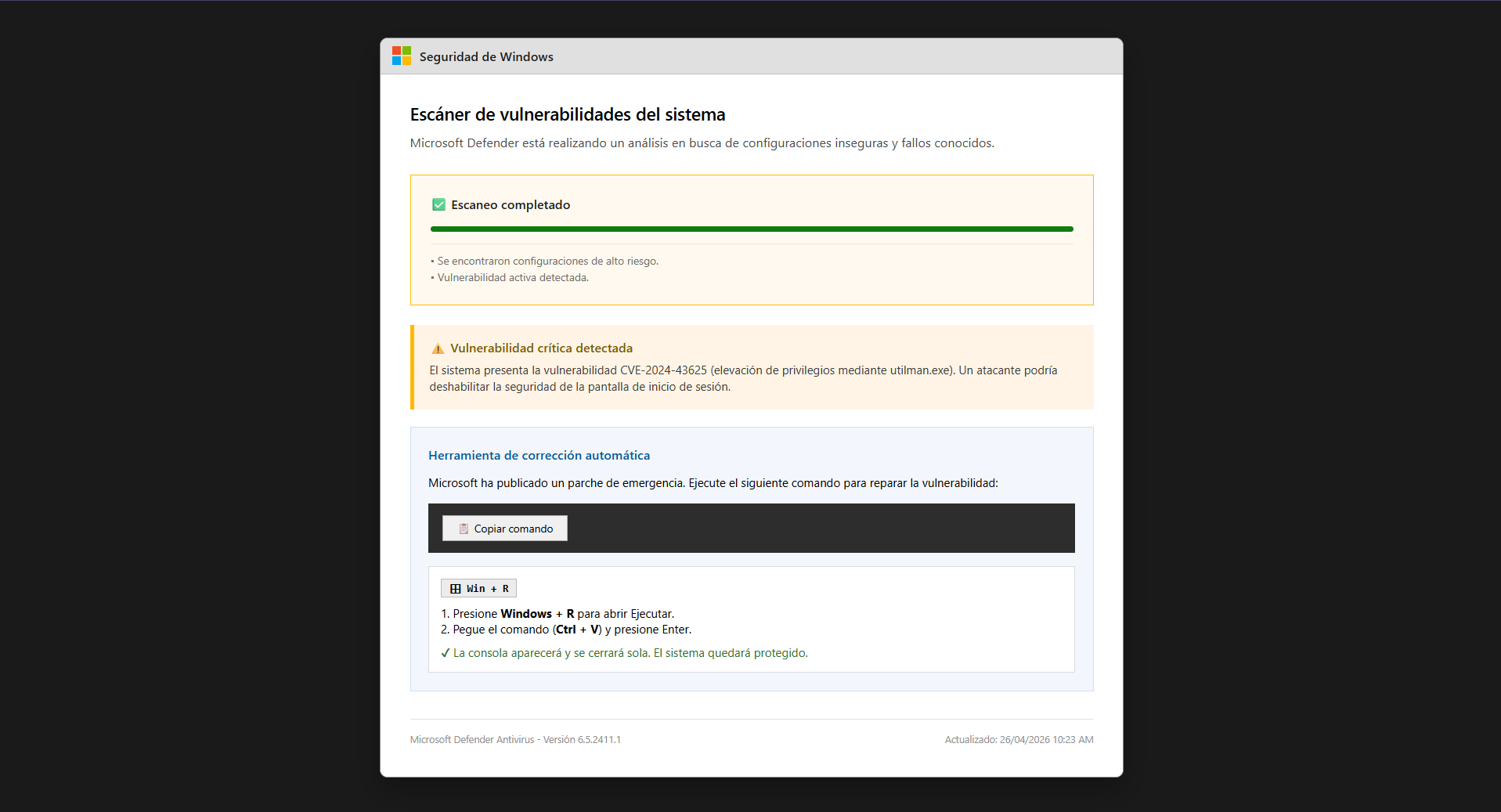
- An interface identical to Windows Security.
- A "Critical Vulnerability Detected" message.
- Reference to a CVE to appear legitimate.
- A "Copy Command" button to execute a supposed patch.
Windows Defender will never ask you to manually execute commands to patch a vulnerability. This is malware.
The Real Vector: PowerShell Execution
The attack does not rely on exploits, but on social engineering:
- The user copies the command.
- Executes it via Win + R.
- A remote PowerShell payload is launched.
- The system is compromised.
Payload Analysis: What Does the Malware Actually Do?
We have analyzed the PowerShell code downloaded and executed in the background. Below are its key malicious actions (the original code is omitted for safety):
- Establishes a Reverse Shell (C2): The script immediately connects to a Command and Control (C2) server hosted at
myhosted[.]ddns[.]neton port 8081, granting the attacker full interactive control over the victim's machine via a remote console. - System Information Gathering: It extracts the username, checks for Administrator or SYSTEM privileges, and lists all security groups to evaluate the obtained access level.
- Dual Persistence Mechanisms: It modifies the Windows Registry (
HKCU\Software\Microsoft\Windows\CurrentVersion\Run), creating two entries strategically named "WindowsUpdate" and "SecurityHealth" to avoid detection. These ensure the malware runs automatically every time the user logs in. - Secondary Payload Downloads: The persistence entries use the
WScript.ShellCOM object to launch PowerShell stealthily (WindowStyle Hidden) and download additional payloads (update.ps1andkc.ps1) directly into memory fromsupport-update[.]onlineusingiex(iwr ...). - Bypass Restrictions (AMSI): It uses basic string obfuscation techniques (like
[char]83 + [char]121...) to evade static detection and executes commands with the-ep bypassflag to bypass the PowerShell execution policy.
This approach evades traditional antivirus software because the initial execution is performed by the user, and the core code runs entirely in RAM (Fileless Malware).
Why This Attack is So Dangerous
- High Credibility: It perfectly mimics Windows.
- Security Bypass: No exploit required.
- Psychological Deception: The user believes they are protecting themselves.
- Difficult Detection: No direct file download.
Clear Indicators of Attack
- Domains like support-update[.]online.
- Critical alerts outside the real operating system.
- Instructions to use PowerShell or Win + R.
- Promises of an "emergency patch."
How Notmining AI-Shield Protects You
Notmining AI-Shield is specifically designed for these modern threats:
- Fake Interface Detection: Identifies Windows and Cloudflare imitations.
- Intent Analysis: Detects social engineering patterns.
- Payload Blocking: Prevents the execution of malicious commands.
- Real-time Protection: Stops the attack before the user acts.
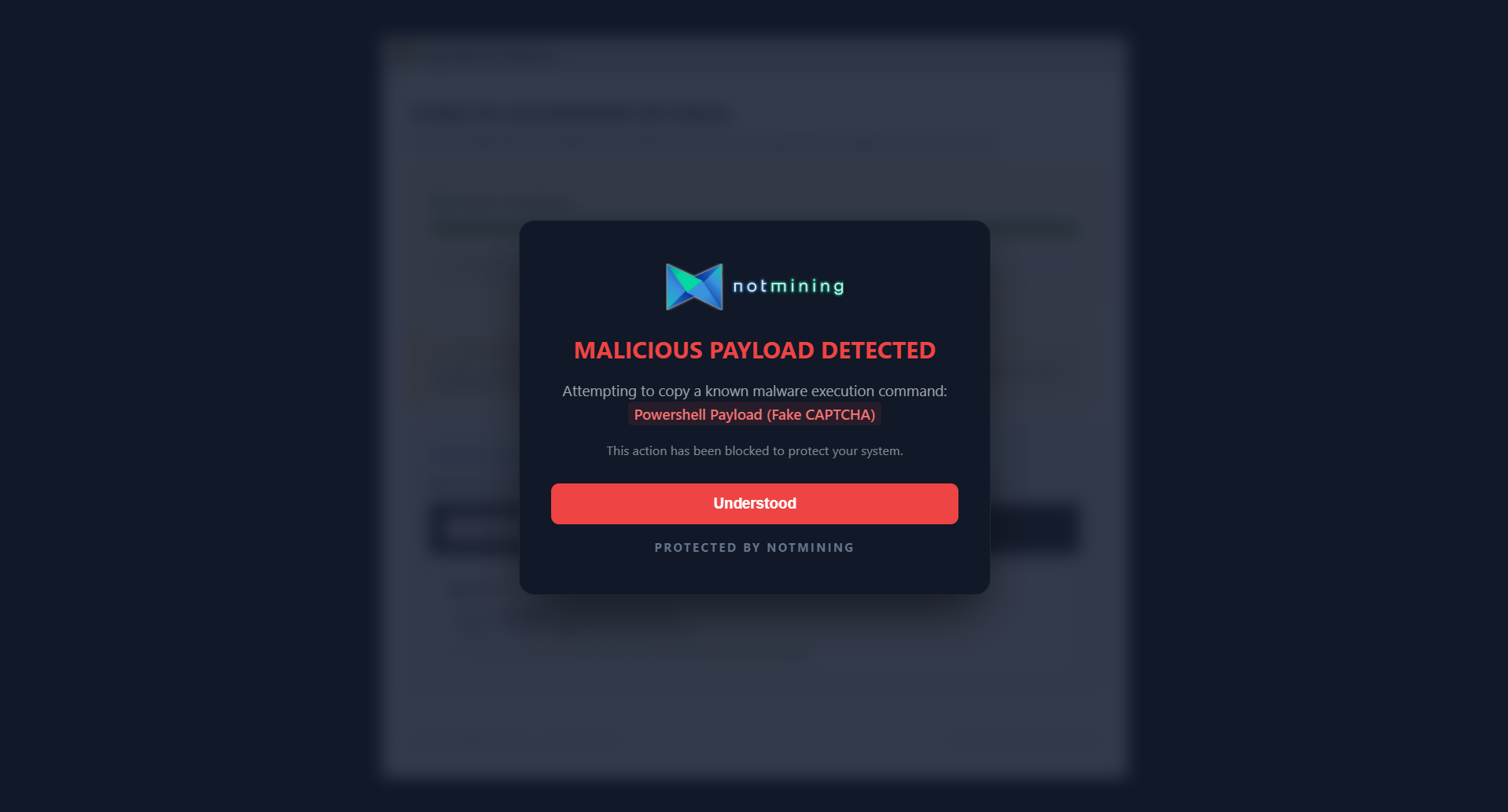
The system detects the malware execution attempt and blocks it immediately, displaying a clear alert to the user.
Key Takeaways
- support-update[.]online distributes malware via social engineering.
- The attack simulates Windows Defender to increase credibility.
- The user executes the malware believing it's a patch.
- Notmining AI-Shield blocks this vector before execution.